Start with the talk, then request the file
Give ChatGPT the audience, duration, source material, and the decision or idea the audience should remember. First ask for a short slide outline. Correct it before requesting HTML: this keeps a content revision from becoming a full design revision.
Plan a five-minute, three-slide talk for [audience] about [topic], using only the source material below. Give each slide one main point and a short speaking note. Flag missing evidence rather than inventing figures. Source: [paste material]OpenAI’s web guide describes creating and downloading finished files. File previews and review tools vary by surface, as explained in Work with files.
Ask for a complete HTML deck
Once the outline is right, request the file itself. Specify HTML so the result is not merely a list of slide titles or a .pptx attachment.
Create a self-contained HTML slide deck for [audience] about [topic].
Talk length: [minutes]. Use only the facts in my source material below.
Use a clear 16:9 layout, readable text, inline CSS/JavaScript and embedded assets.
Use section.slide for each slide, with exactly one .active slide at a time.
Include previous/next buttons, ArrowLeft/ArrowRight and Home navigation.
Inside each slide, add a script type="application/json" class="slide-notes"
with title, script (speaking text), and notes (an array of short bullet strings).
Hide notes from the slide. Keep the complete file below 2 MB.
No frameworks, external fonts, remote images, API calls or build step.
Give me the complete deck.html file, not just an outline.
Use the approved outline and source material from this conversation.
The portable skill provides reusable instructions for compatible clients. A normal ChatGPT conversation can use this prompt; it does not require a paid custom GPT, API key, or connector.
Download and inspect the real output
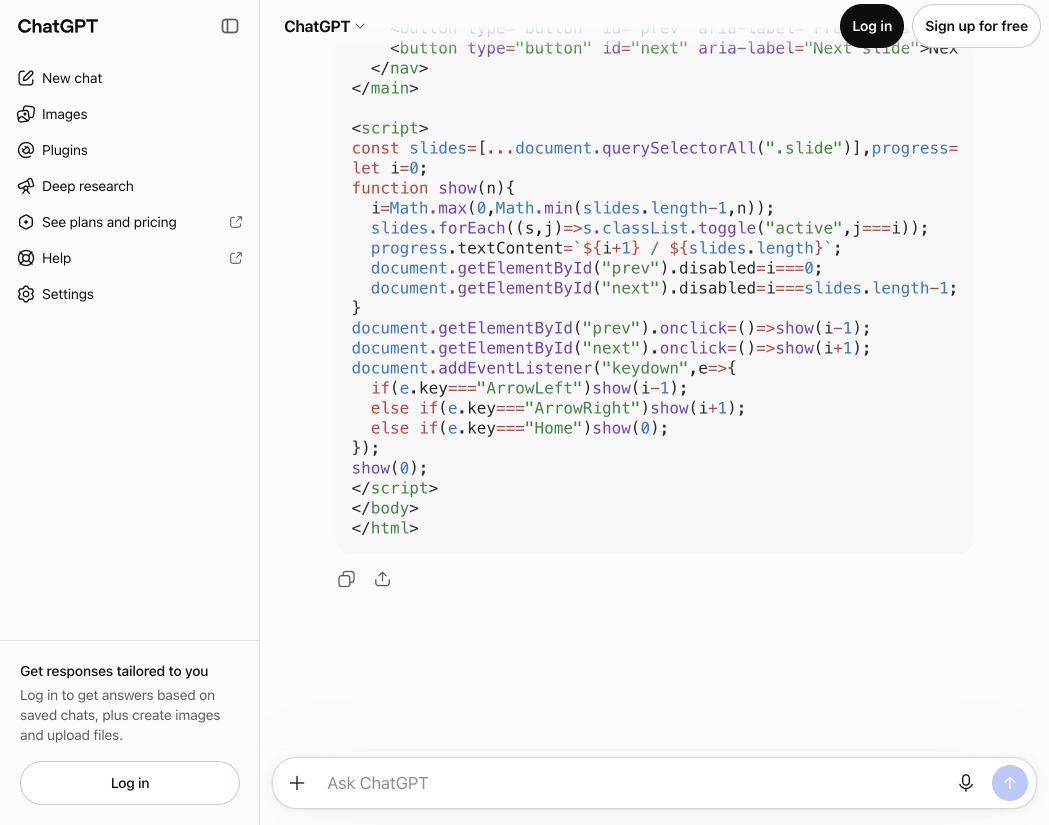
When ChatGPT returns a file attachment, download the .html file. Open it in your browser and review every slide. A rendered preview is useful for feedback, but the downloaded file is what you will present.
If a downloadable HTML file is unavailable, request the complete source in one code block. Copy its contents into a plain-text editor and save as deck.html in UTF-8. Remove the surrounding code fences, and check that your editor did not append .txt.
For a revision, identify the slide and issue: “Slide 2 overflows at 1280×720. Reduce its text without shrinking the heading; preserve the other slides and notes. Return a new complete HTML file.” Keep the previous version until you have checked the new one.
Fix common generated-file problems
- Only an outline: ask for the complete runnable HTML document, not a slide plan.
- Missing images or fonts: ask for embedded assets and system fonts, with no external dependencies.
- A partial file: ask for one complete smaller deck; verify that all intended slides and navigation are present.
- Text outside the slide: shorten the content and test the actual presentation size.
- Missing notes: request per-slide JSON notes using title, script, and a notes array; keep those notes off the projected slide.
Present without another subscription
Keep the file below 2 MB. Open HTML Slide Presenter, upload it, choose 30 minutes, 3 hours, or 1 day, and complete the bot check. Open the presenter link on the display and scan the remote QR on your phone.
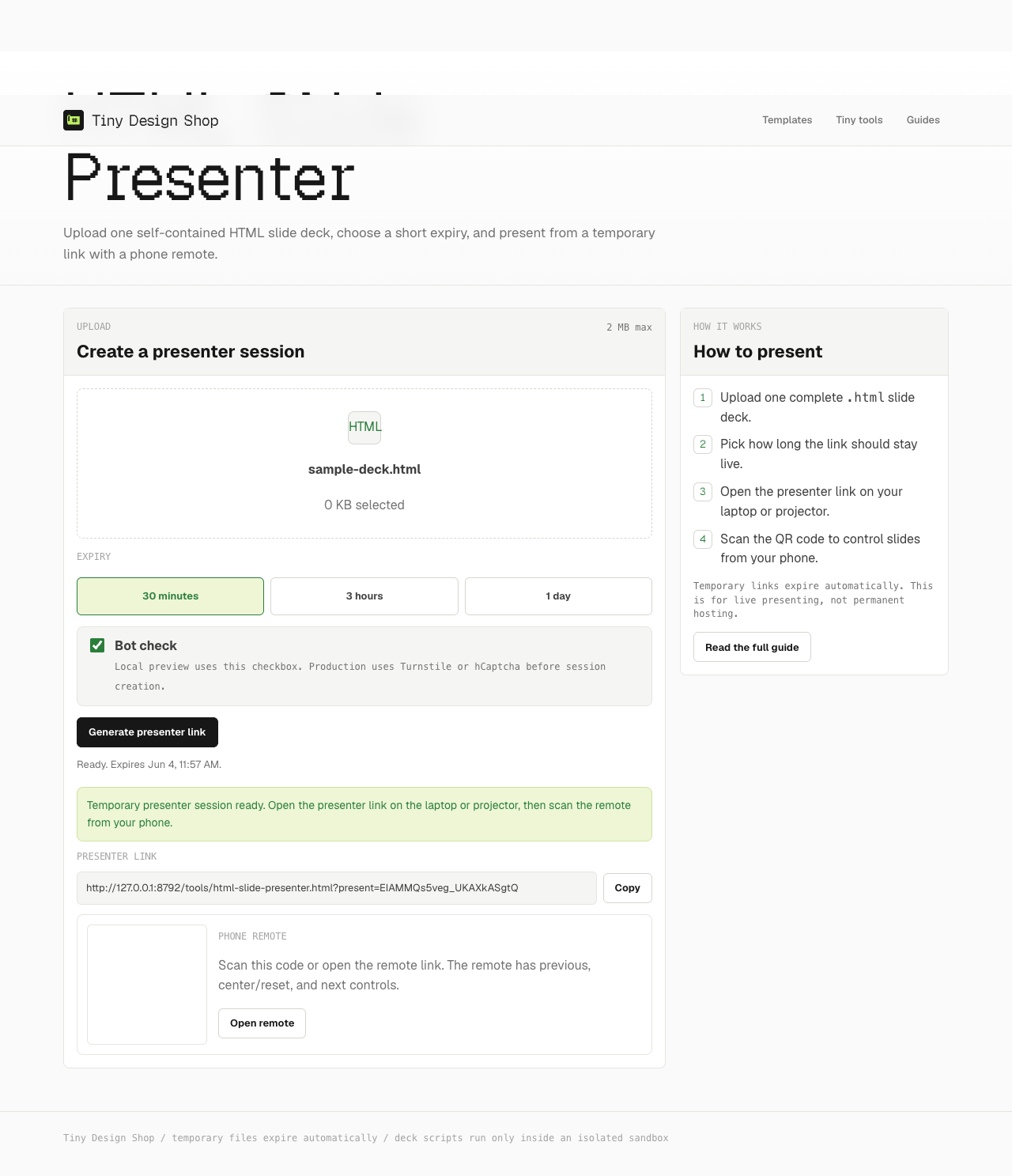
If your file includes supported notes, they follow the active slide on the phone. Use the speaker-notes guide to check them and the conference guide to rehearse with a local backup.
What is free, and what was verified?
Tiny Design Shop requires no account, installed app, or presentation subscription. ChatGPT generation and file tools have separate availability and usage limits; check OpenAI’s current plan information. A downloaded self-contained deck does not need ChatGPT running to present.
Checked September 29, 2026: a signed-out ChatGPT web conversation produced a complete three-slide HTML deck with navigation and JSON notes; Copy code provided the full source. That test did not produce a download attachment. A signed-in Free-tier file-download workflow has not been verified. Check your saved deck before presenting.