Ask for HTML in a normal conversation
Start a Claude conversation with your audience, talk length, outline, and source material. Request a standalone HTML deck explicitly. A Claude Slides template and a self-contained HTML file are different outputs: the presenter needs the file, not a Claude share link.
Anthropic documents chat artifacts on Free and paid plans, while its Slides templates are a paid beta. This workflow does not require a Slides template or Claude Code. Check Claude’s artifact documentation for current availability.
Give Claude the file requirements
Paste this prompt with your source material. Start with a small deck so you can check the output before adding more slides.
Create a self-contained HTML slide deck for [audience] about [topic].
Talk length: [minutes]. Use only the facts in my source material below.
Use a clear 16:9 layout, readable text, inline CSS/JavaScript and embedded assets.
Use section.slide for each slide, with exactly one .active slide at a time.
Include previous/next buttons, ArrowLeft/ArrowRight and Home navigation.
Inside each slide, add a script type="application/json" class="slide-notes"
with title, script (speaking text), and notes (an array of short bullet strings).
Hide notes from the slide. Keep the complete file below 2 MB.
No frameworks, external fonts, remote images, API calls or build step.
Give me the complete deck.html file, not just an outline.
Source material: [paste your content]
For repeated use in compatible tools, get the HTML Slide Presenter skill. In a normal chat, the prompt is enough; installing a skill is optional.
Revise a specific slide
Review the content and ask for a focused change. Name the slide and say what should remain unchanged. For example:
On slide 2, replace the paragraph with three short points. Keep its layout, other slides, navigation, and existing notes. Update only slide 2’s speaking text to match. Return the complete revised HTML file.Check numbers, source references, and readability again after the revision. Ask Claude to explain what it changed; do not treat a polished preview as proof that the facts or file are correct.
Save the HTML, not the preview page
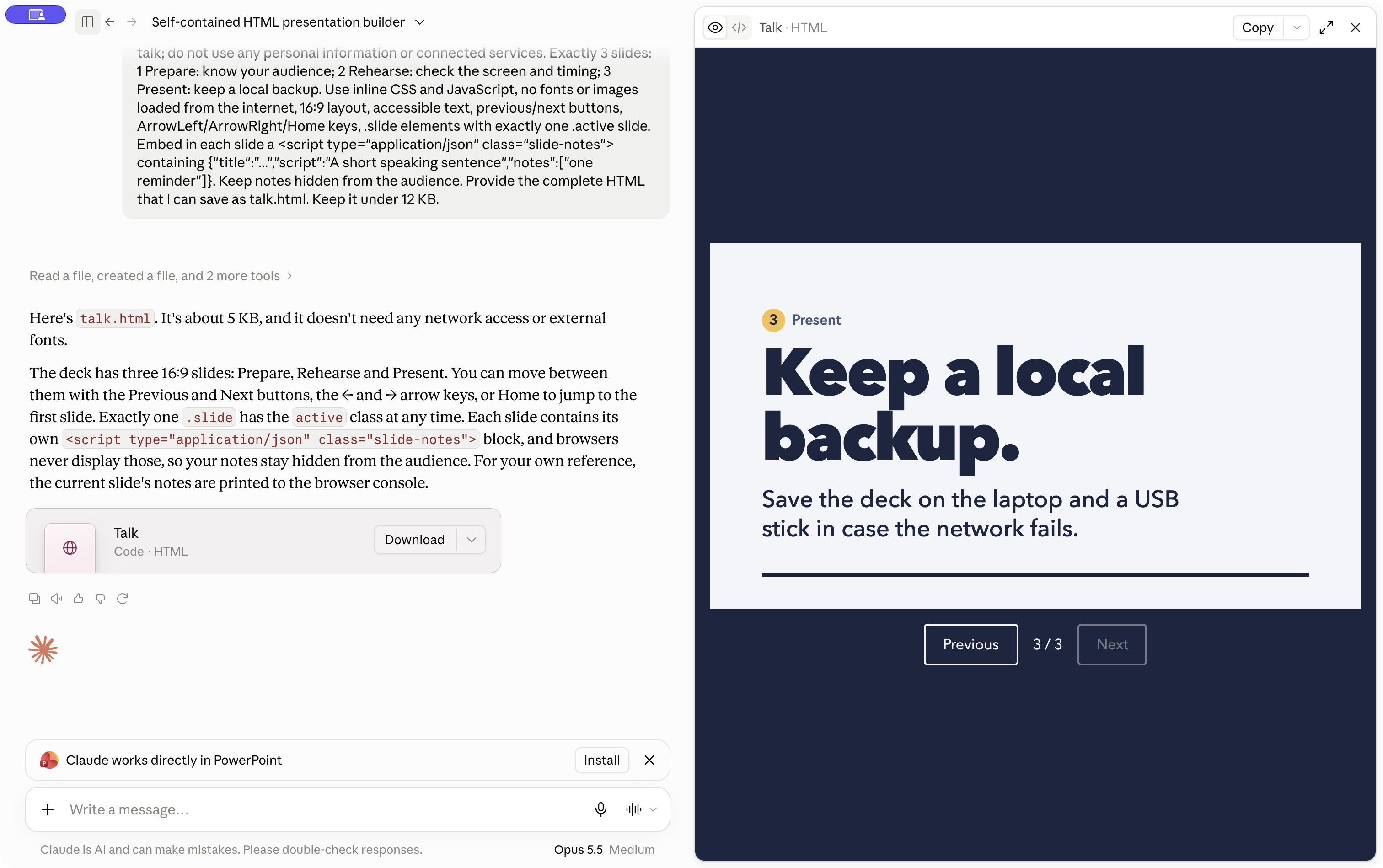
Ask Claude to provide the finished deck as a downloadable .html file. If a file is provided, download it and check the extension. Do not save the Claude conversation webpage or upload an artifact-sharing URL.
If your interface does not offer the HTML download, ask for the complete HTML source in one code block. Copy only that code into a plain-text editor, save it as deck.html in UTF-8, and ensure it is not deck.html.txt. Avoid rich-text document editors.
A template export to PowerPoint or PDF cannot be uploaded here. Ask for a standalone HTML version instead, then check its layout and navigation locally.
Present the saved deck
- Open the saved file in a browser; visit every slide and confirm that essential images appear.
- Keep the file below 2 MB and ensure it has embedded speaker notes if you want them on the phone.
- Upload it to HTML Slide Presenter, choose expiry, and complete the bot check.
- Open the presenter on the display, scan the phone QR, and check that a slide change also updates the notes.
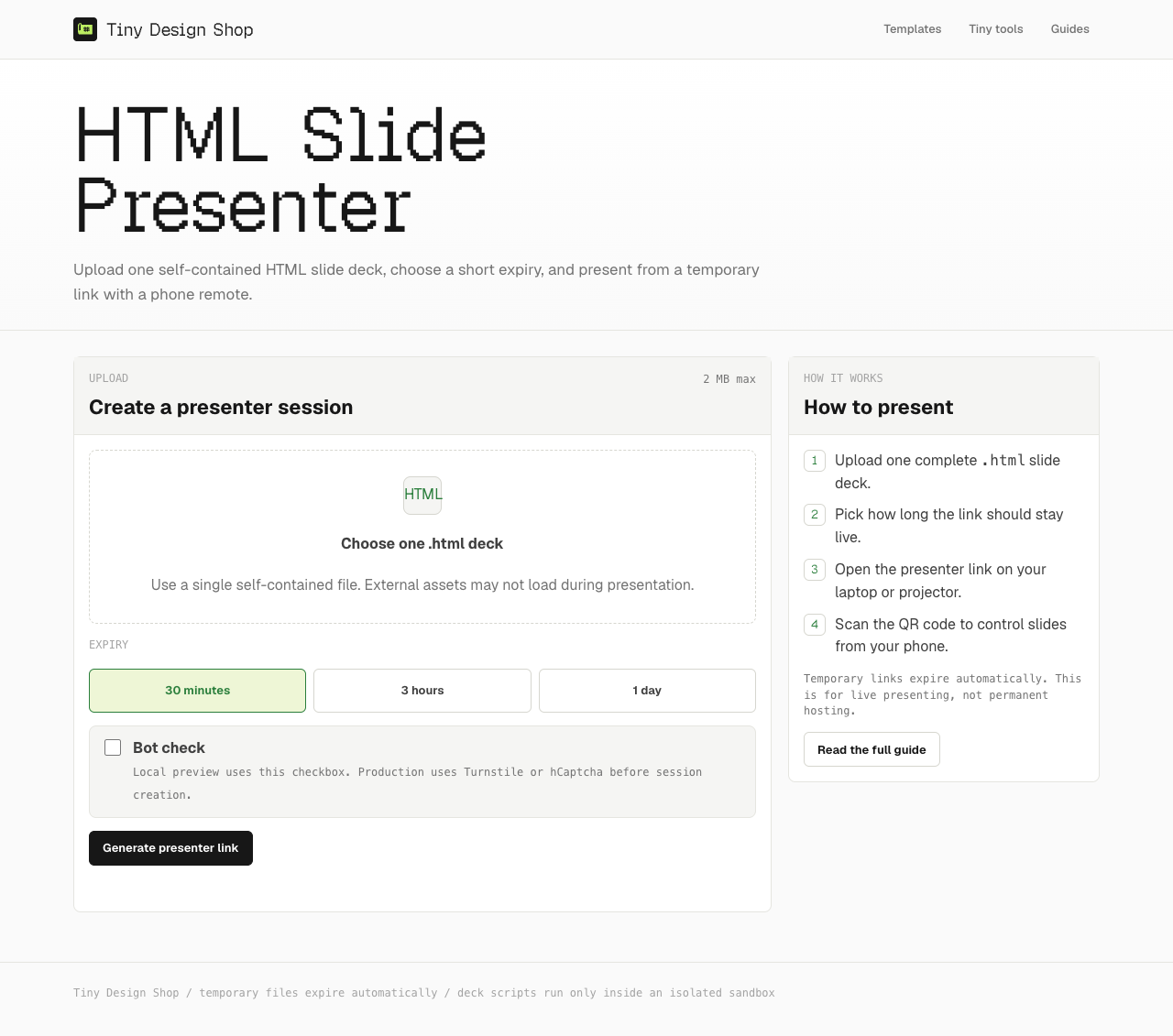
The phone-remote guide covers setup; the speaker-notes guide covers the imported notes format.
What is free?
Tiny Design Shop’s presentation step is free and requires no account or installed app. Claude’s account, feature availability, and usage limits are separate. If generation stops at a limit, wait for access to reset or continue revising later; presenting an already saved deck does not require another Claude generation.
Tested September 29, 2026 in Claude desktop ordinary Chat on a Max subscription: a three-slide HTML artifact opened in Preview/Code, and Download saved the complete HTML file. Free-tier file creation and download were not tested. Export controls can differ by surface and account; the complete-source fallback remains an option.