สองเครื่องมือ หนึ่ง workflow
Responsive Preview tool ให้ iframe สดสามอันเคียงข้างกันพร้อม scroll ซิงค์เมื่อ same-origin — วาง URL ใดก็ได้และโต้ตอบทั้งสามพร้อมกัน คำสั่ง /responsive-preview Cursor เพิ่มชั้น AI: ถ่าย screenshot ที่ viewport ทั้งสาม รายงานปัญหาเลย์เอาต์ และลิงก์กลับไปยัง live viewer
ใช้ร่วมกัน: viewer เพื่อเห็นปัญหาด้วยตา คำสั่งเพื่อรับการตรวจ pass/warn/fail ที่มีโครงสร้างและขอให้ Claude แก้สิ่งที่เสีย
วาง URL และเปรียบเทียบสามความกว้าง
เปิด tinydesignshop.com/tools/responsive-preview วาง URL แล้วคลิก Preview iframe สามอันโหลด — Mobile 390px, Tablet 820px, Desktop 1280px
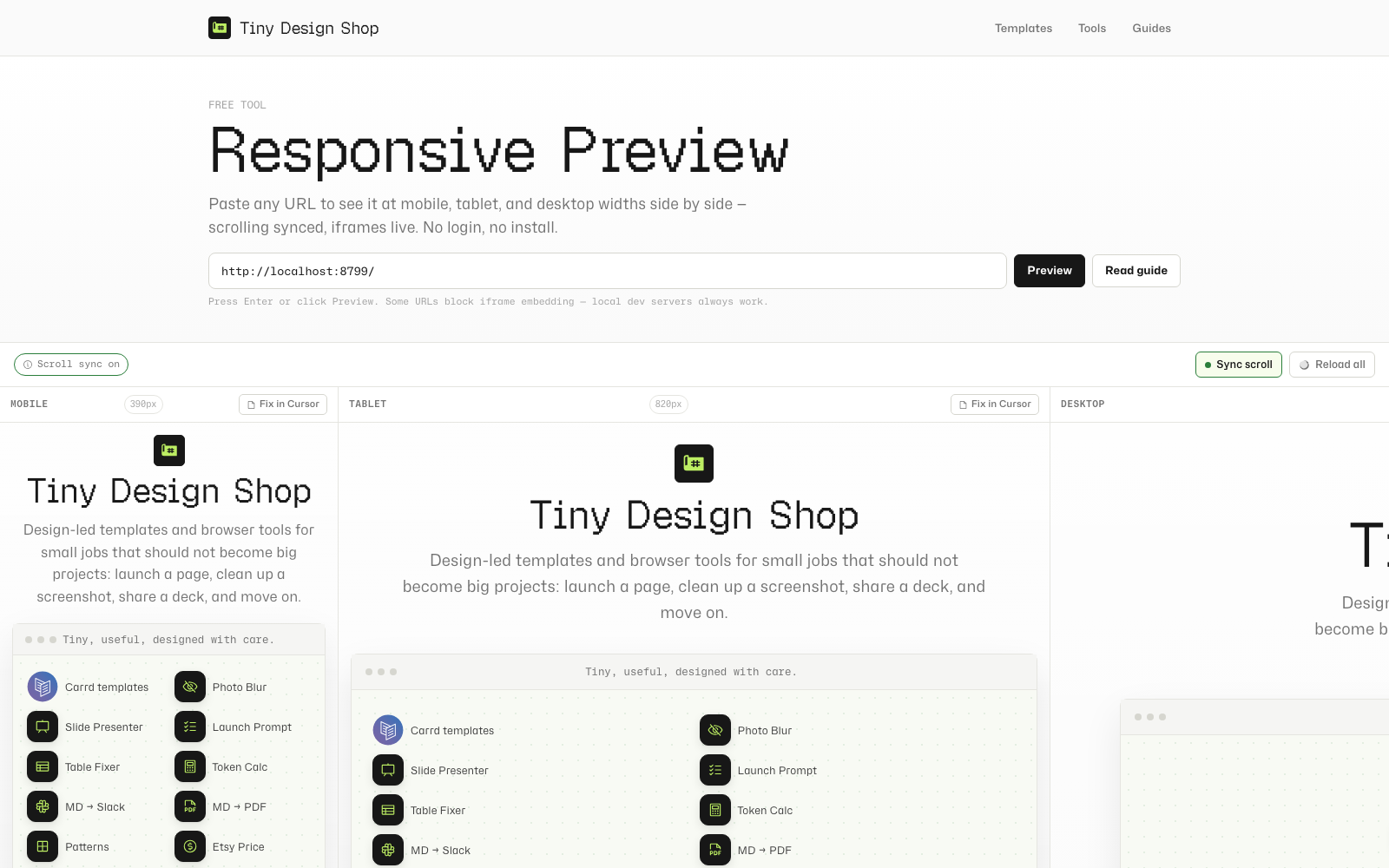
Synced scrolling works when the viewer and target URL are same-origin (for example, local viewer at localhost:8787 previewing localhost:8787/tools/my-page). When you scroll one frame, the others follow. Cross-origin previews still render — sync is unavailable and the toolbar chip says so.
Reload all (or press R) refreshes all three frames at once — useful after saving a code change.
บุ๊กมาร์กหรือแชร์ลิงก์ตรง: คลิก Preview จะอัปเดตแถบที่อยู่ด้วยพารามิเตอร์ ?url= ที่คัดลอกได้

คำสั่ง slash /responsive-preview
นี่คือคำสั่ง slash ของ Cursor — ไฟล์ markdown ที่สั่งให้ Claude รันการตรวจ responsive เมื่อคุณพิมพ์ /responsive-preview ในแชท
ตั้งค่า (ครั้งเดียว)
- เปิด Responsive Preview Cursor Command tool แล้วดาวน์โหลดหรือคัดลอกไฟล์คำสั่ง
- คัดลอกไปยังโฟลเดอร์
.cursor/commands/ของโปรเจกต์ (สร้างโฟลเดอร์ถ้ายังไม่มี) - เริ่ม dev server ในเครื่อง (
npm run dev:html-presenterจากsite/สำหรับ repo นี้) - พิมพ์
/responsive-previewในแชท Cursor ใดก็ได้
ทำอะไร
Claude ถ่าย screenshot ที่ Mobile (390px), Tablet (820px) และ Desktop (1280px) ด้วย Claude Preview MCP จากนั้นรันการตรวจแบบมีโครงสร้างห้ามิติ — overflow, nav collapse, text legibility, image sizing และ fixed elements — และให้ pass, warn หรือ fail แต่ละ viewport จบด้วยลิงก์เปิด live side-by-side viewer ที่ URL ของคุณ
ดูตัวอย่างหน้าเฉพาะ
ส่ง path เป็นอาร์กิวเมนต์: /responsive-preview tools/my-tool ดูตัวอย่าง localhost:8787/tools/my-tool ไม่มีอาร์กิวเมนต์จะใช้ root เป็นค่าเริ่มต้น
ใช้ Fix in Cursor กับ Design Mode
แต่ละ frame ใน viewer มีปุ่ม Fix in Cursor คลิกเพื่อคัดลอก context block ที่มีโครงสร้างไปยังคลิปบอร์ด:
[Responsive issue at Mobile · 390px]
Page: http://localhost:8787/tools/my-tool
Viewport: 390px
---
Describe the issue here, then use Cursor Design Mode to annotate the element.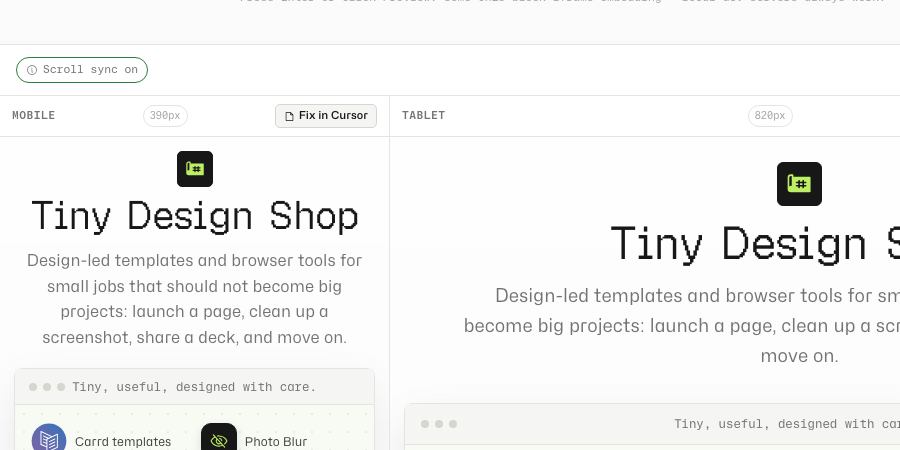
วางลงในแชท Cursor จากนั้นสลับไปเบราว์เซอร์ในตัวของ Cursor ไปยังหน้าเดียวกัน และใช้ Design Mode — ชี้คลิก element วาดไฮไลต์พื้นที่ หรือบรรยายการเปลี่ยน Cursor จับ xpath, computed styles และ screenshot ของ element แล้วส่งไป Claude พร้อม context ที่คุณวาง
frame ว่าง ข้อจำกัด sync และลิงก์แชร์ได้
- Iframe blocked: เว็บหลายแห่งตั้ง
X-Frame-OptionsหรือContent-Security-Policy: frame-ancestorsที่บล็อก embedding Google, Twitter และ SaaS ที่ต้องล็อกอินส่วนใหญ่บล็อก dev server ในเครื่องใช้ได้เสมอ สำหรับเว็บภายนอก ใช้/responsive-previewสำหรับ AI screenshot แทน - Scroll sync unavailable: การโหลด cross-origin (เช่น production viewer + localhost target) ยัง render ได้แต่ inject scroll relay script ไม่ได้ ใช้ local viewer ที่
localhost:8787/tools/responsive-previewเมื่อพัฒนาในเครื่อง - Fix in Cursor: คลิกปุ่มใต้ frame ที่มีปัญหา วาง block ที่คัดลอกในแชท แล้ว annotate ด้วย Design Mode เพื่อให้ agent รู้ว่าต้องแก้ element ไหน
- Shareable preview links: หลังคลิก Preview URL หน้าจะมี
?url=— คัดลอกจากแถบที่อยู่เพื่อบุ๊กมาร์กหรือแชร์ - Privacy: URL ที่คุณใส่โหลดตรงใน iframe ของเบราว์เซอร์ ไม่มีอะไรผ่านเซิร์ฟเวอร์ TDS
viewer ในเบราว์เซอร์ การตรวจ MCP ในเครื่อง
viewer โหลด URL ตรงใน iframe ของเบราว์เซอร์ — ไม่มีอะไรผ่านเซิร์ฟเวอร์ TDS scroll sync ทำงานทั้งหมดใน JavaScript บนหน้า คำสั่ง /responsive-preview รันในเครื่องผ่าน Claude Preview MCP ในเซสชัน Cursor ของคุณ