Product Landing Page が最適な購入のとき。
1つの Carrd サイトで信頼できるプロダクトストーリーが必要なときに使いましょう:ヒーロー、機能リスト、ソーシャルプルーフ、FAQ。要素をゼロから積み上げる代わりにセクションが最初から配線されている、初期検証、サイドプロジェクト、SaaS ピッチに最適です。
Templates of Carrd カタログまたは ランディングページおすすめリスト から購入し、Carrd アカウントに複製して、以下の編集手順に従ってください。
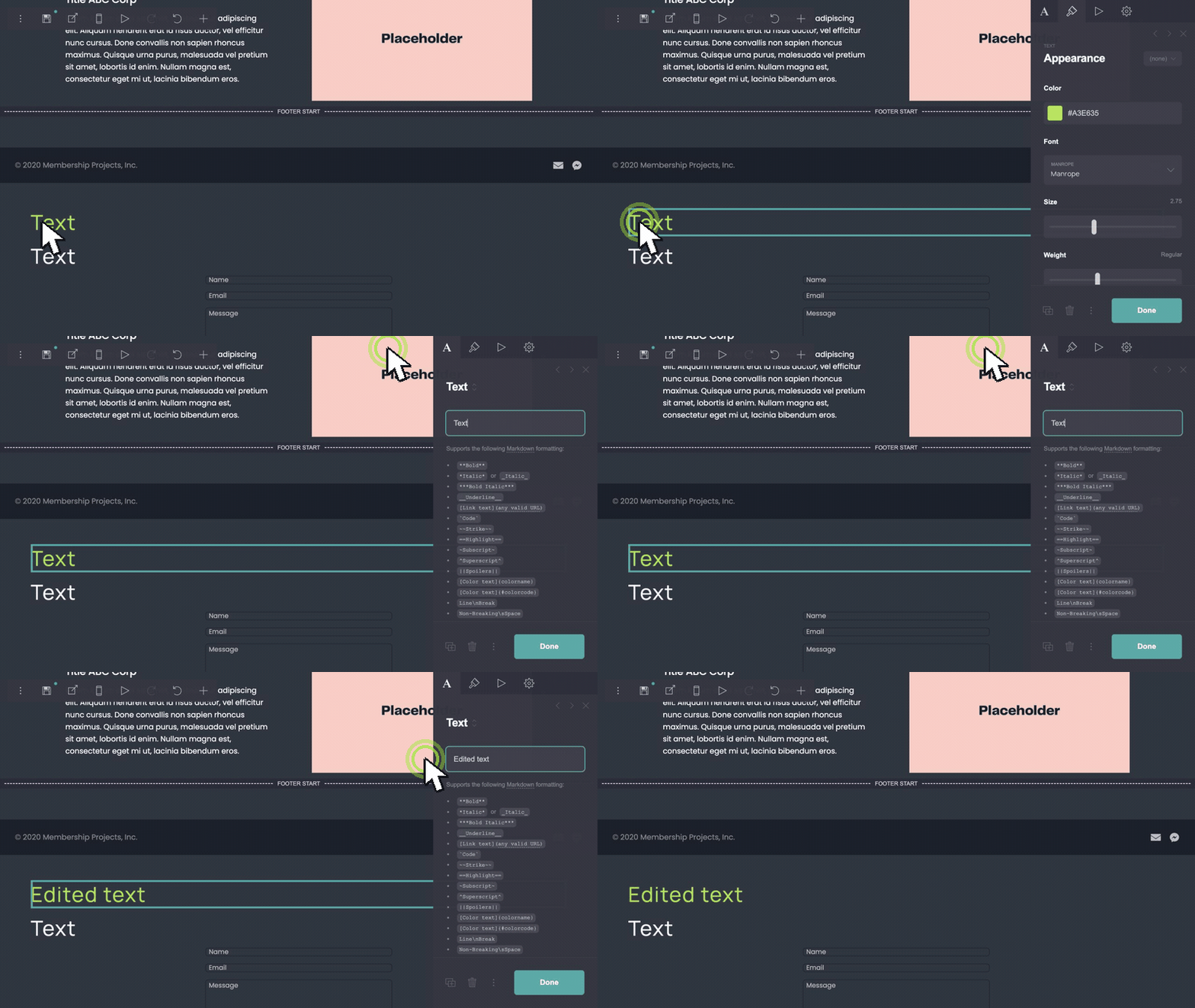
見出しと本文を編集。
Carrd ビルダーでテキストブロックをダブルクリック。プレースホルダーの見出し、サブコピー、機能行をプロダクト名と価値提案に置き換えましょう。モバイルのスタックが読みやすいよう、1行に1つのアイデアを保ちます。
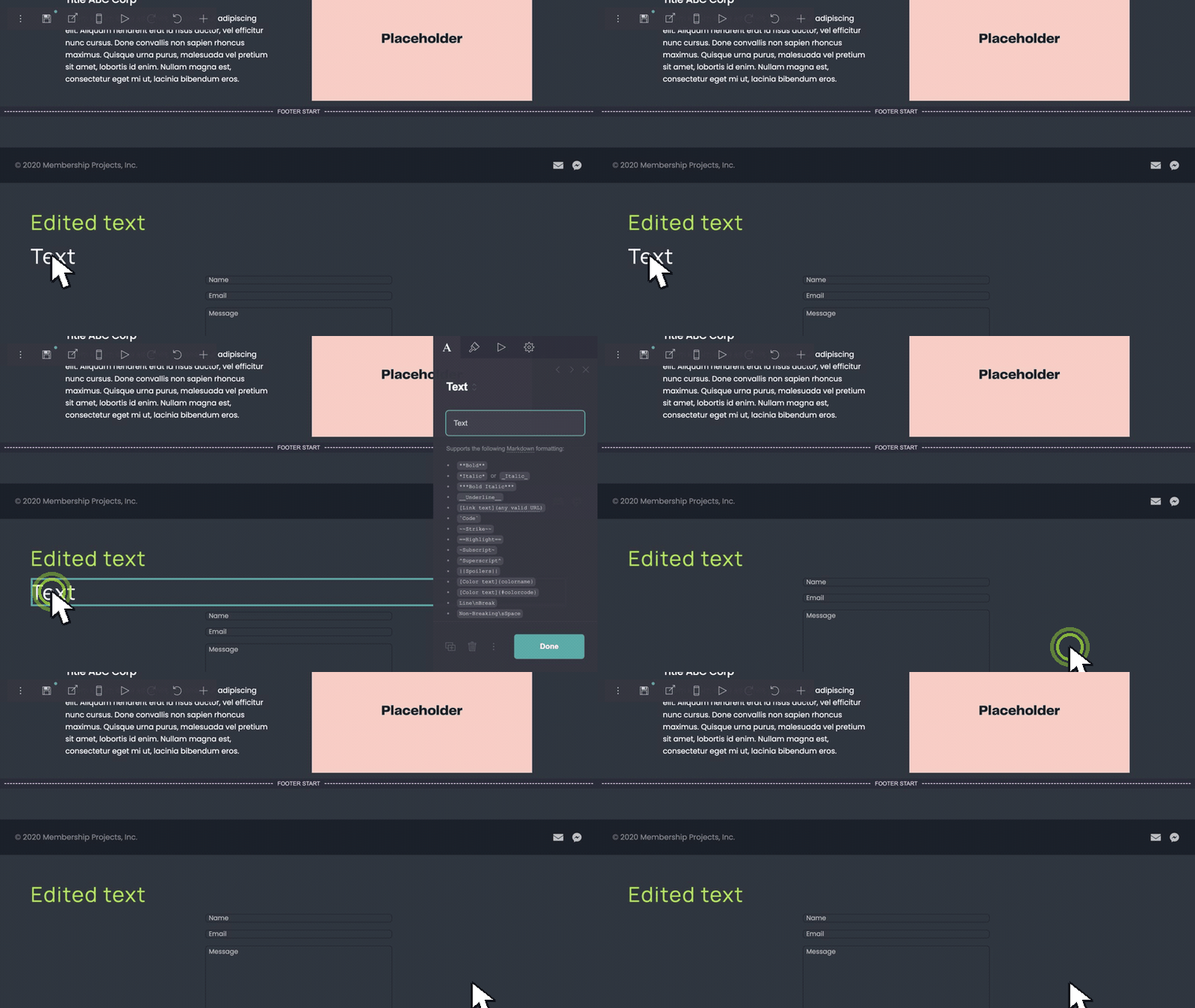
不要なセクションを削除。
削除したいブロックやコンテナ — FAQ 行、お客様の声、追加の機能列 — を選択して削除。デモ構造から始め、公開スコープに合うまで減らしていきましょう。
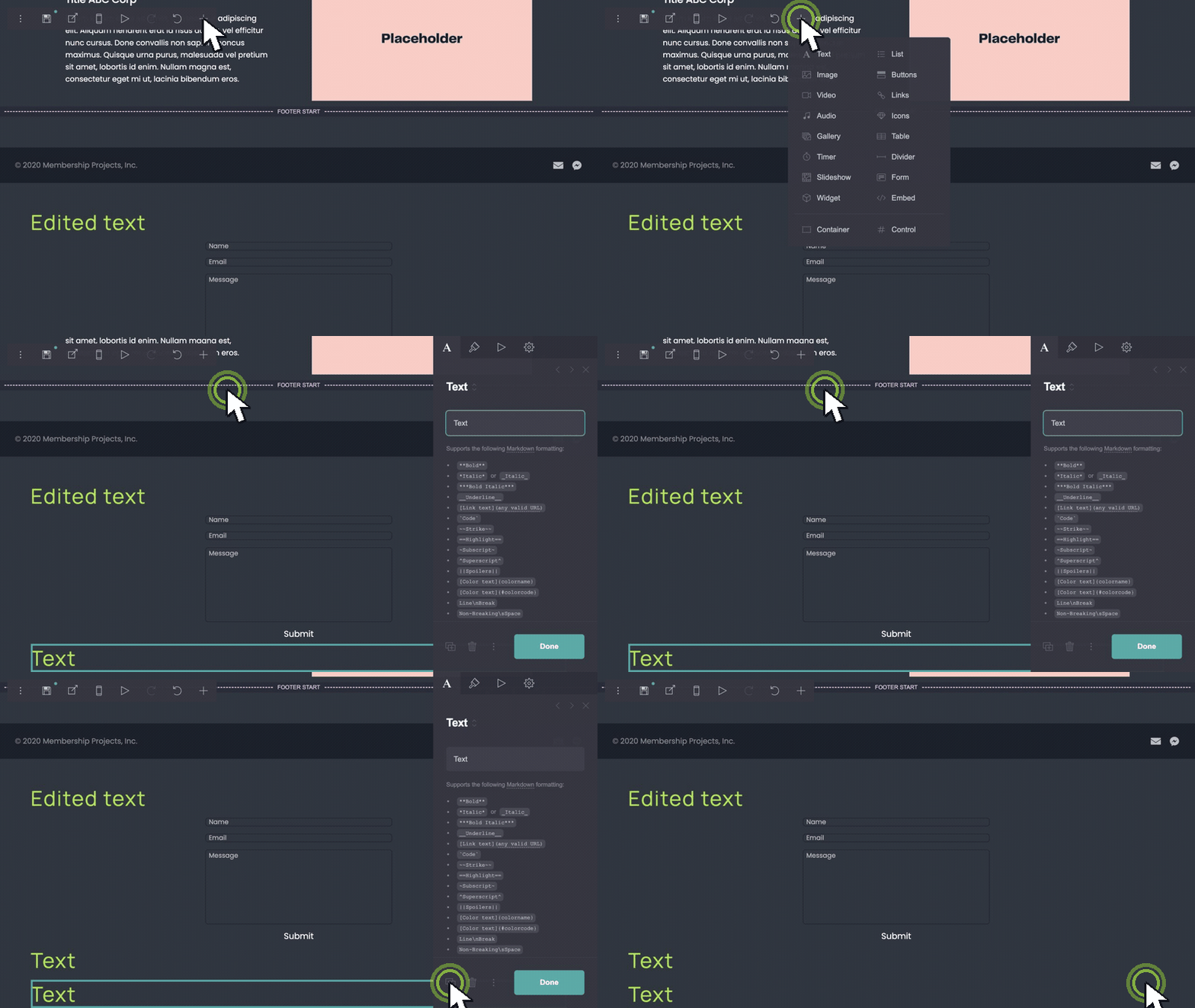
ブロックを複製して項目を追加。
機能行やお客様の声をもう1つ追加しますか?行を選択して複製し、コピーと画像を編集。Carrd は間隔を一定に保つので、繰り返しセクションも整列します。
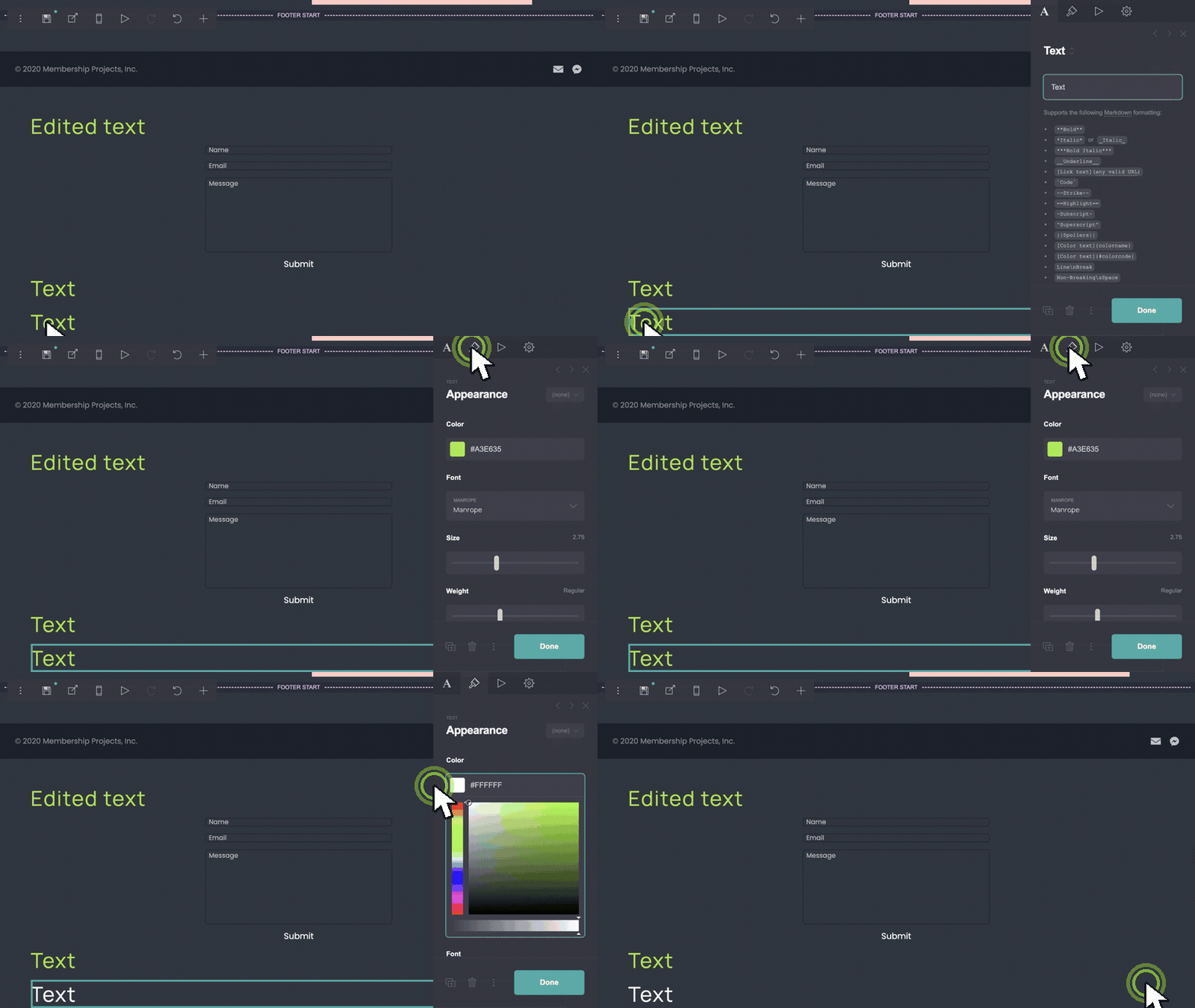
ブランドカラーに合わせる。
背景、ボタン、テキストのカラーコントロールを開きます。デフォルトパレットをブランドの hex 値に差し替え。CTA ボタンの塗りとリンク色を一緒に更新し、ページ全体に意図を持たせましょう。
このテンプレートと相性の良いアセット。
- coolors.co — quick palette ideas before you enter hex values in Carrd.
- unsplash.com — hero and feature photography without a stock subscription.
- phosphoricons.com — simple icons if you replace default marks in image blocks.
Product Landing Page が最適な購入のとき。
- Carrd ビルダーで見出しと本文をインライン編集。
- v1 に不要なセクションを削除。
- 機能行やお客様の声の行を複製して項目を追加。
- 背景、ボタン、テキストの色をブランドに合わせて更新。