Turn a launch checklist into an agent-ready prompt.
Launch Checklist Prompt composes a pre-launch audit brief from eleven workflow areas: technical setup, on-page SEO, social previews, structured data, agent readiness, AI citation patterns, performance, analytics, off-page links, and legal basics.
You do not need to know SEO jargon to start. The tool uses plain-language cards such as “Search engines can find my site” and “Shared links show the right image & text.” The generated prompt tells an agent what to inspect, what to fix, and how to report findings.
When you paste a site URL, the tool runs a live agent-readiness scan powered by isitagentready.com (Cloudflare’s public scanner) and embeds the score and failing checks in the prompt before you copy it.
Good for
- Pre-launch audits on static sites, Cloudflare Worker deploys, or repo-backed marketing pages.
- One-shot audits pasted into Claude, Codex, or Cursor agent chat.
- Reusable skills installed in Cursor, Claude Code, or Codex for repeat checks.
Not a substitute for
- Server-side scanning, uptime monitoring, or Search Console setup itself.
- Legal review of privacy policies or cookie compliance.
- Running the audit without giving the agent access to your repo or live URL.
Build and copy your prompt.
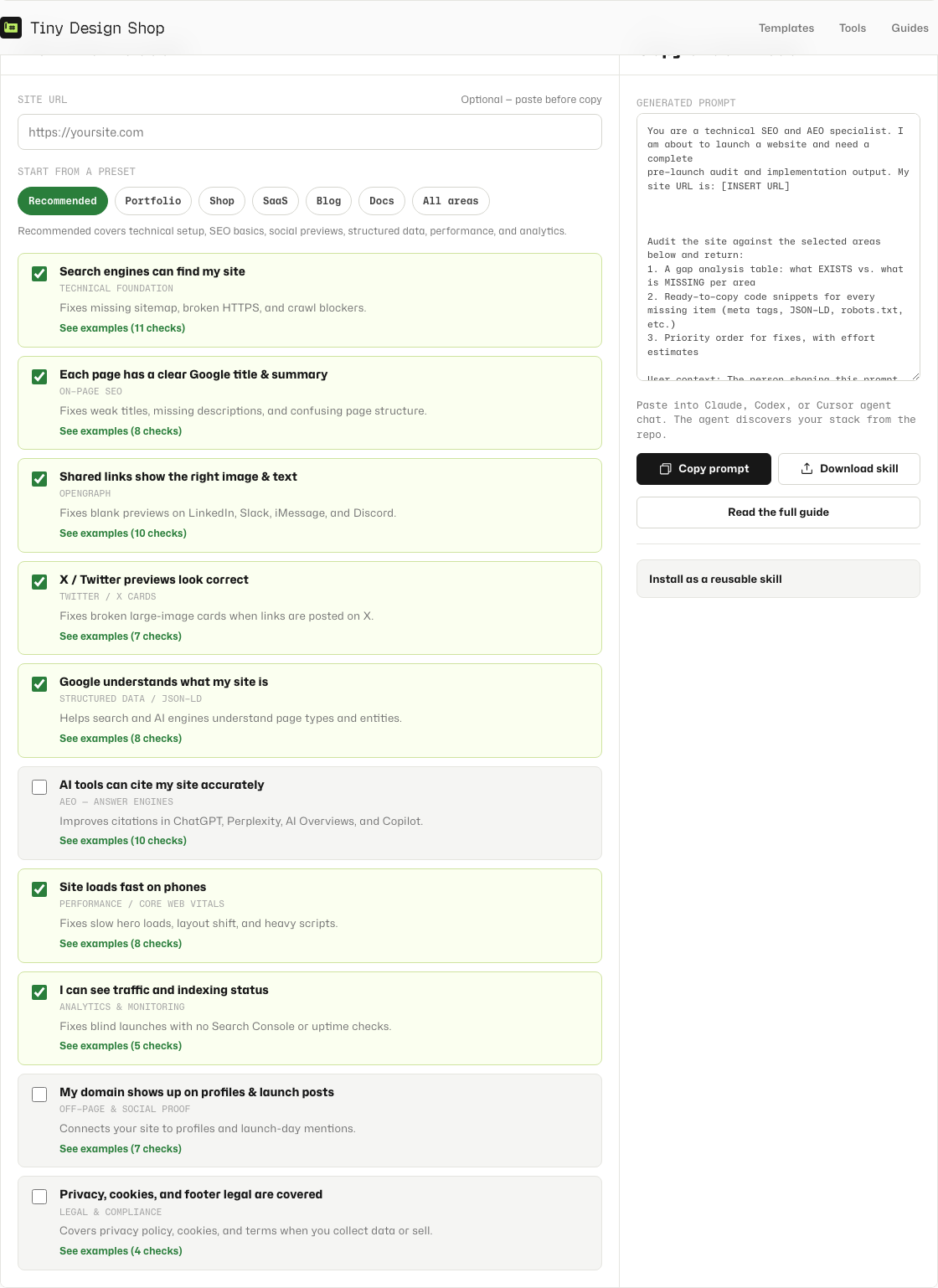
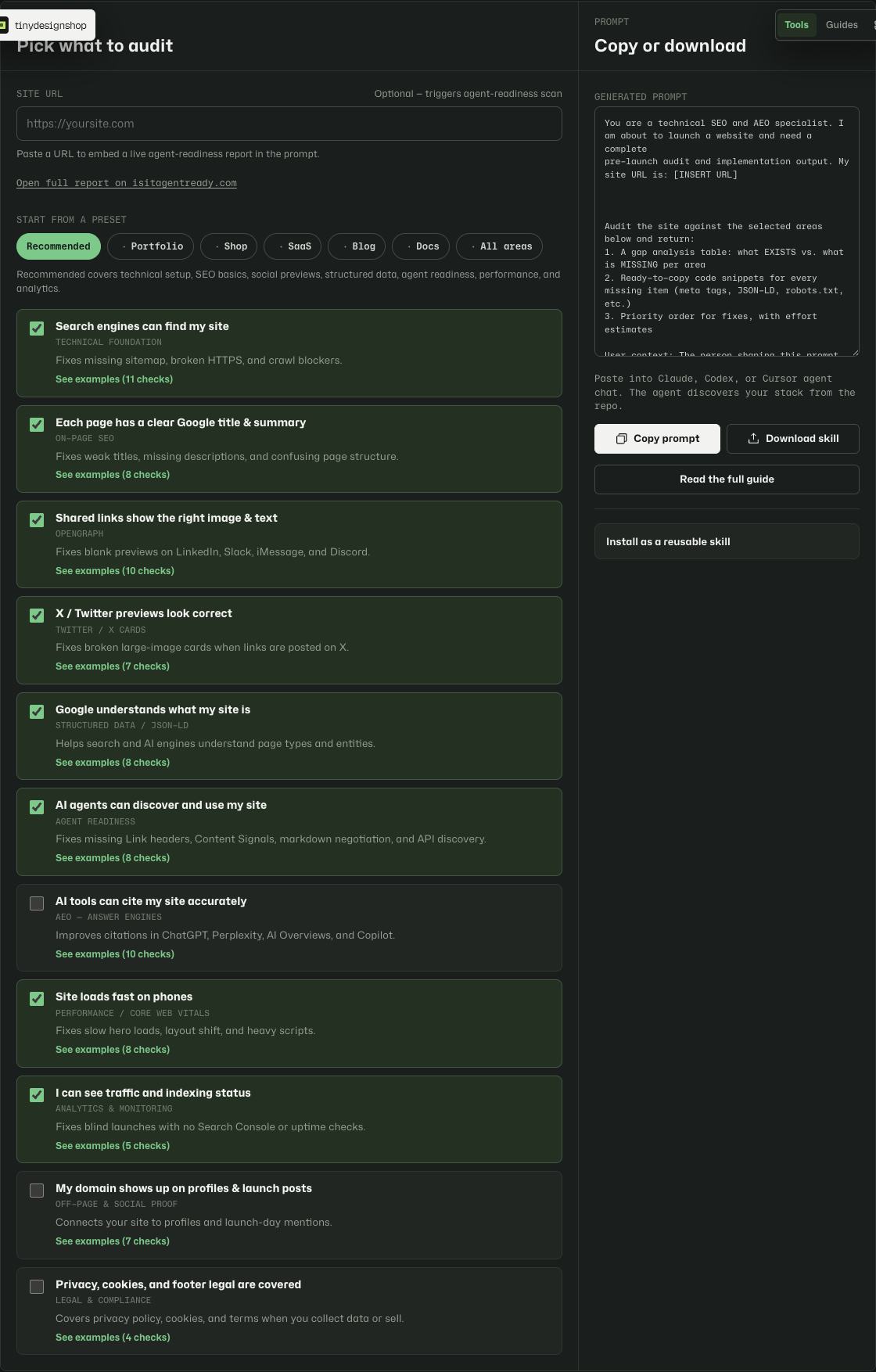
- Open Launch Checklist Prompt.
- Paste your site URL to trigger a live agent-readiness scan. This is optional but embeds score and failing checks in the prompt.
- Wait for Checking agent readiness… to finish. Review the level/score, or open the full report on isitagentready.com.
- Start from Recommended, or pick a site-type chip (Portfolio, Shop, SaaS, Blog, Docs).
- Toggle any extra workflow cards on or off. Expand “See examples” on a card if you want sample checks.
- Review the live prompt preview on the right.
- Click Copy prompt and paste it into your agent chat with repo or URL context.
The tool saves your URL and selections in local storage on this device. Refreshing the page keeps your last setup.
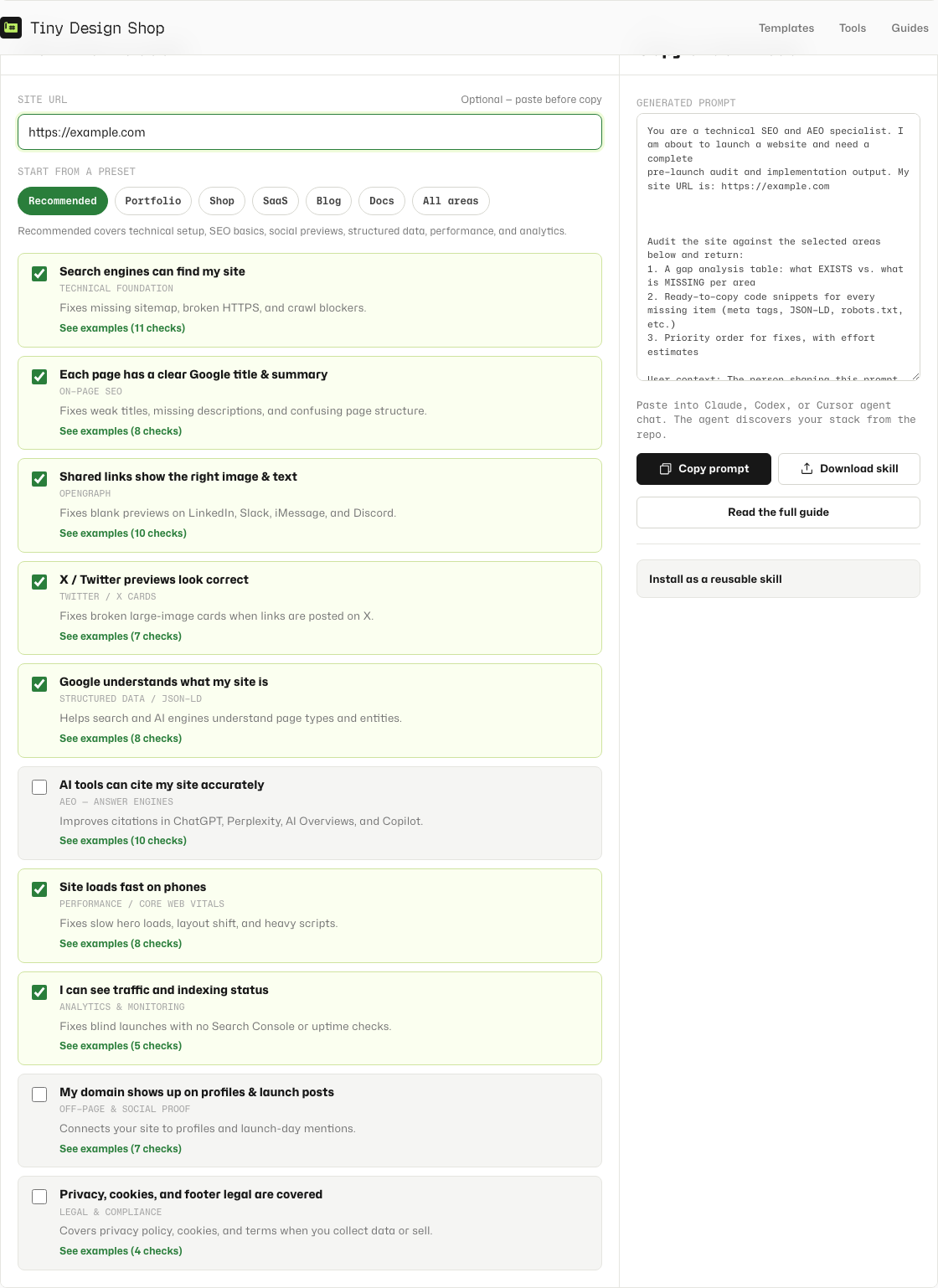
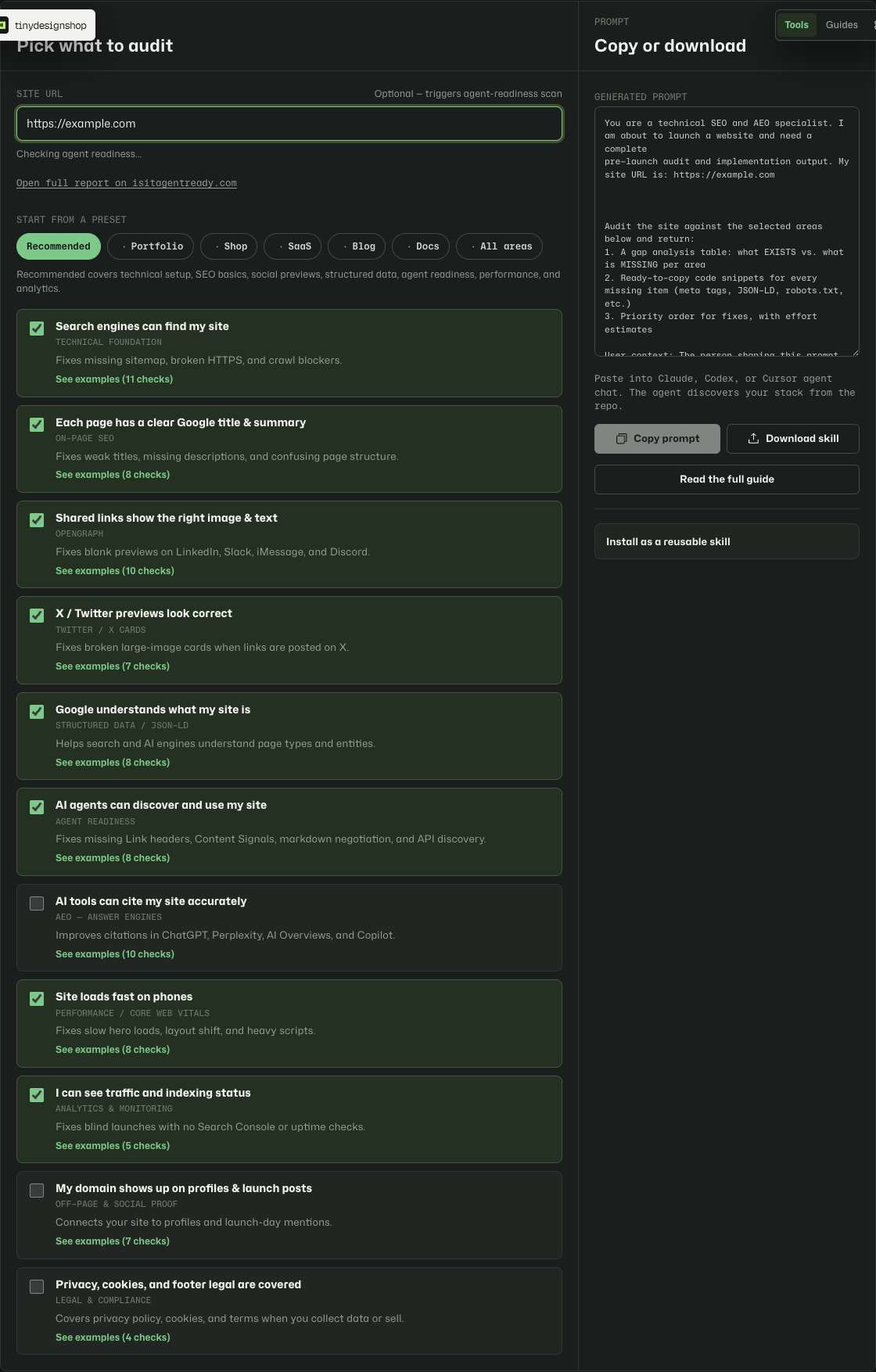
Start here if you are not sure.
Recommended selects eight core areas most sites need before launch:
- Technical foundation — sitemap, HTTPS, favicons, crawl basics
- On-page SEO — titles, descriptions, headings, internal links
- OpenGraph — link previews on LinkedIn, Slack, iMessage, Discord
- Twitter / X cards — large-image cards when links are posted
- Structured data — Organization, Article, and validation basics
- Agent readiness — Content Signals, Link headers, markdown negotiation, API catalog (isitagentready.com)
- Performance — Core Web Vitals and mobile load targets
- Analytics — production analytics and Search Console readiness
It skips optional areas such as AI citation patterns (AEO), off-page launch posts, and legal/compliance unless you add them manually or choose a site-type preset that includes them. Agent readiness is included in Recommended by default.
Match the audit to your site shape.
- Portfolio — Recommended plus off-page profile links for launch day.
- Shop — Recommended set with catalog-focused notes in the prompt.
- SaaS — Recommended plus legal and compliance checks.
- Blog — Recommended plus AI citation (AEO) patterns and Article schema emphasis.
- Docs — Recommended with documentation-focused notes; skips off-page launch posts.
- All areas — Every workflow card selected, including AEO, off-page, and legal.
Paste into an agent with repo or URL access.
The prompt assumes the agent can read your codebase or inspect a live deployment. Give it one of these:
- Your git repo open in Cursor, Claude Code, or Codex.
- A deployed URL plus framework notes if the repo is not available.
- Your site root path if the agent runs locally against static files.
Ask the agent to return a prioritized fix list with file paths, not just a generic checklist recap. The prompt already requests pass/fail status, evidence, and suggested patches where possible.
Reuse the audit without rebuilding the prompt.
Preferred: install the public pack once with npx skills@latest add iruhdam1/skills, then run the website-launch-checklist-prompt skill. Pack folder: iruhdam1/skills.
Or open Launch Checklist Skill, copy the compact prompt or download the zip, unzip the file, and place SKILL.md in one of these paths:
- Cursor (project):
.cursor/skills/website-launch-checklist-prompt/SKILL.md - Cursor (personal):
~/.cursor/skills/website-launch-checklist-prompt/SKILL.md - Claude Code:
.claude/skills/website-launch-checklist-prompt/SKILL.md - Codex:
.codex/skills/website-launch-checklist-prompt/SKILL.md
For ChatGPT or Claude web, paste the copied prompt into project instructions or a custom GPT instead of installing a skill file.
From the prompt tool, the full-width black Get skill CTA opens the companion page. The downloadable skill covers the full checklist. The on-page tool lets you scope workflows before copy; the skill is the reusable baseline for “audit my site before launch.”
If something looks off.
- If workflow cards will not expand, refresh the page. “See examples” must not be nested inside the checkbox label.
- If the prompt preview is empty, check that
launch-checklist-prompt-data.jsloaded. Both files must deploy together. - If the agent gives vague advice, re-run with repo access and ask for file-level findings.
- If you need legal or cookie compliance review, add the Legal workflow card or choose the SaaS preset.
- If the agent-readiness scan fails or times out, open isitagentready.com directly or copy the fallback scan instructions from the prompt.
URL scan + local selections.
When you paste a URL, it is sent to Tiny Design Shop’s Worker, which proxies a scan request to isitagentready.com. Scan results are not stored on Tiny Design Shop servers. Your workflow selections and generated prompt stay on your device in local storage. The audit runs wherever you paste the prompt or install the skill.